CapCut Template vs AI
GTA 5 Goodbye CapCut Template vs AI One-Click Video
Most viral Goodbye GTA 5 clips on TikTok aren’t built with a basic photo-slideshow CapCut template—they use AI video replacement to put you directly on the Los Santos pier with Michael, Franklin, and Trevor. Upload 1 clear photo and generate the full 30-second 9:16 scene in minutes.
- No prompts required
- 1 portrait photo → 30s 9:16 MP4
- Transparent credit pricing
Side-by-Side Comparison
CapCut Template vs AI One-Click Generation
Understand what a CapCut template can and cannot do before you spend an hour hunting for a working link.
| What matters | CapCut Template | GTA5 Goodbye AI (AI One-Click) |
|---|---|---|
| Visual result | Photo slideshows, loading-screen filters, or beat-sync cuts | You actually stand on the sunset pier with Michael, Franklin & Trevor |
| Assets required | Multiple photos or recorded clips + manual timing | Just 1 clear front-facing portrait photo |
| Character integration | Flat overlays or split-screens that look pasted on | Matches your face & outfit into the 3D sunset lighting and motion |
| Watermark & paywalls | Many viral templates require CapCut Pro or add end watermarks | Clean 9:16 MP4 export ready for TikTok, Reels, and Shorts |
| Best role in workflow | Adding final captions, “2013–2026” text, or trending audio | Generating the core 30-second farewell video itself |
If You Still Want CapCut
How to find the GTA 5 Goodbye template in CapCut (3 steps)
01
Search the trend on TikTok
Open TikTok and search #gta5goodbye or "GTA 5 goodbye CapCut template". Look for posts with the orange-red "CapCut — Try this template" button above the username.
02
Search inside the CapCut app
Open CapCut → Templates tab → search "GTA 5 goodbye" or "GTA 5 to GTA 6". Pick a community edit and drop in your clips or screenshots.
03
Combine AI + CapCut for the best result
Generate the real pier-farewell clip here first, then optionally drop the finished MP4 into CapCut to add slowed "See You Again" audio or your custom year caption.
Skip the template hunt
Want to actually stand on the pier with Michael, Franklin & Trevor?
CapCut templates can only remix footage you already have. Generate the full 30-second sunset pier farewell from a single selfie—no editing timeline, no Pro subscription.
Real Input to Output
One photo in. Full 30-second sunset pier farewell out.
Upload a single clear portrait and GTA5 Goodbye AI places you directly into the 4:3 Los Santos pier farewell with Michael, Franklin, and Trevor—no green screen, no multi-clip stitching.
Try with my photo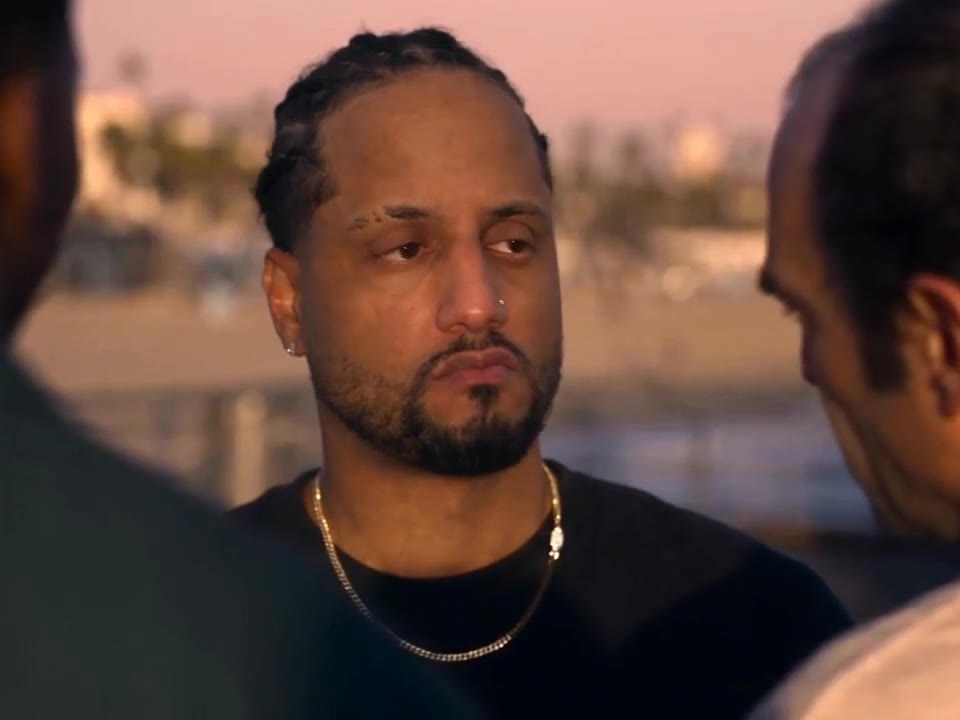
1 Portrait Photo
30s AI Farewell Video (4:3)
Tips for Best Results
How to get the cleanest farewell video
01
Use a well-lit front-facing photo
Even lighting with your face clearly visible gives the cleanest likeness when placed into the golden-hour pier scene.
02
Keep one person in the frame
Avoid group shots or sunglasses so the model locks cleanly onto your face and outfit.
03
Add trending audio in TikTok or CapCut
Pair your finished 9:16 MP4 with nostalgic tracks like slowed "See You Again" or classic Los Santos radio clips for higher watch time.
04
Hook viewers in the first 2 seconds
Add a short overlay like "2013–2026 · Thanks for the memories" at the top of the frame without covering the sunset.
FAQ
Frequently asked questions
Is there an official GTA 5 Goodbye CapCut template?
There is no single official template. Most CapCut templates for this trend are community-made photo slideshows or GTA loading-screen edits. The viral videos where a real person stands on the pier with Michael, Franklin, and Trevor are made with AI video generation.
Why does my CapCut template not look like the viral TikTok videos?
Standard CapCut templates only apply transitions, filters, and beat-synced cuts to your photos. They cannot insert you as a moving character into the 3D Los Santos sunset pier scene—that requires AI character replacement.
Can I still use CapCut after generating my video here?
Yes. Many creators generate their 30-second 9:16 farewell MP4 here first, then open it in CapCut or TikTok to layer captions, year stamps ("2013–2026"), or trending audio.
How long does it take and how much does it cost?
Upload 1 portrait photo and your 30-second 9:16 clip renders in minutes. Credit packs are transparent one-time purchases with no surprise subscription—if a render ever fails, credits are refunded automatically.
More Guides
Explore more Goodbye GTA 5 guides
Copy-Paste Prompt Library
Goodbye GTA 5 AI Prompt List (6 Copy-Paste Scenes)
Copy-paste Goodbye GTA 5 AI video prompts for Sora, Kling, Runway, Seedance & Dreamina. Includes 6 shot-by-shot sunset pier prompts, trio character locks, and a 1-click no-prompt alternative.
Guides
GTA 5 Goodbye Trend Explained: Why It Went Viral
Why the #gta5goodbyetrend took over TikTok and YouTube—its origin after 13 years of GTA 5, top songs, viral formats, and the Los Santos to Vice City shift.
Guides
How to Do the GTA 5 Goodbye Trend: AI & CapCut Guide
Learn how to do the GTA 5 goodbye trend in minutes. Follow our one-photo AI workflow or the 5-step CapCut edit guide, plus photo tips and specs.
Guides
GTA 5 Last Ride Route: Best Los Santos Sunset Drive
Plan your GTA 5 Last Ride in Story Mode or GTA Online: the 6-stop Los Santos sunset route, best cars and radio stations, and clean recording tips.
Guides
10 Best Ways to Say Goodbye to GTA 5 Before GTA 6
10 memorable ways to say goodbye to GTA 5—from Ending C, Farewell Journey mod, and your final sunset save to Last Ride drives and farewell captions.
Ready to make your Goodbye GTA 5 video?
Skip the editing timeline and prompt guesswork. Upload one clear photo and get your 9:16 sunset pier farewell clip ready for TikTok and Reels.