Copy-Paste Prompt Library
Goodbye GTA 5 AI Prompt List (6 Copy-Paste Scenes)
Use these tested Goodbye GTA 5 prompts in Sora, Kling, Runway, Seedance, or Dreamina to recreate the sunset pier farewell with Michael, Franklin, and Trevor—or skip prompt tuning and face drift completely by generating the full 30-second clip from 1 photo.
- 6 copy-paste prompts
- 9:16 vertical shot list
- Works with Image-to-Video tools
Copy-Paste Shot List
6 Goodbye GTA 5 Prompts Ready to Copy
Click Copy on any scene below. For Image-to-Video models, upload a clear front-facing portrait as your reference image.
Master Prompt · Full Flow
Complete Sunset Pier Farewell (9:16)
Best for: All-in-one Image-to-Video runs (Seedance, Kling, Sora)
Cinematic 9:16 vertical video, 3D video game engine style matching GTA V Los Santos at golden hour sunset. On a wooden coastal pier overlooking the glowing ocean, three iconic men—Michael De Santa in a casual gray suit jacket, Franklin Clinton in a dark streetwear jacket and gold chain, and Trevor Philips in an unkempt tank top—stand beside the traveler from the reference photo. Warm emotional atmosphere, Michael gives a reassuring pat on the shoulder and hands over car keys. The traveler smiles nostalgically, walks to a sleek pink sports car, and drives down the coastal highway into dusk. Smooth cinematic camera pan, golden lens flare, 4k.
Shot 1 · Establishing
Sunset Pier Reunion
Best for: Opening 5–6 second establishing shot
Cinematic 9:16 medium-wide shot on Del Perro wooden pier in Los Santos at golden hour sunset, warm orange and magenta sky reflecting over the Pacific Ocean. Three iconic game protagonists (middle-aged man in gray suit jacket, athletic young Black man in streetwear jacket, rugged unkempt man in white tank top) stand side by side facing the person from the reference image. Bittersweet nostalgic mood, subtle ocean breeze, realistic 3D game cinematic lighting, shallow depth of field.
Shot 2 · Emotional Beat
Shoulder Pat & Key Handover
Best for: Close-up emotional farewell interaction
Cinematic 9:16 medium close-up, warm sunset backlight on a coastal pier. The middle-aged man in a gray suit jacket smiles bittersweetly and gives a warm, reassuring pat on the shoulder of the person from the reference photo, handing over a set of sports car keys. Behind them, the two friends nod quietly in farewell. Subtle slow-motion, golden rim light, emotional indie-game ending atmosphere, crisp facial detail.
Shot 3 · Transition
Stepping Into the Pink Sports Car
Best for: Mid-video transition from pier to road
Cinematic 9:16 tracking shot following the person from the reference photo walking away from three friends on a sunset wooden pier toward a classic glossy pink sports car parked along the boardwalk. The traveler opens the car door, pauses for one final look back over their shoulder with a grateful smile, then gets inside. Warm golden hour lens flare, smooth gimbal motion, high-detail 3D game render.
Shot 4 · Finale
Coastal Highway Drive-Off to GTA 6
Best for: Closing shot with room for "2013–2026" text
Cinematic 9:16 rear chase shot, a sleek pink sports car accelerating down a palm-lined coastal highway away from Los Santos at twilight. Glowing tail lights, vibrant purple-and-orange sunset sky over the ocean, subtle road heat haze, nostalgic passing-of-the-torch finale vibe. Clean upper sky space for text overlay, smooth drone pull-back.
Character Lock · Add-On
Michael, Franklin & Trevor Appearance Lock
Best for: Appending to any prompt to stop character drift
Character consistency details: Michael is a middle-aged man with combed dark hair, casual gray blazer over a dark tee, melancholic expression; Franklin is an athletic young African-American man with short fade haircut, dark streetwear jacket, gold chain; Trevor is a rugged middle-aged man with receding wild hair, stubble, worn white tank top, intense yet bittersweet look. Preserve the exact face, hairstyle, and outfit of the uploaded reference photo.
Don’t want to write prompts?
Skip face drift, bad hands, and stitching 4 separate clips
Generating 4–5 shots manually across general AI tools often causes Michael, Franklin, and Trevor to morph—and your own face to drift between cuts. Upload 1 clear photo here to render the locked 30-second sunset pier farewell in one click.
Real Input to Output
One photo in. Full 30-second sunset pier farewell out.
Upload a single clear portrait and GTA5 Goodbye AI places you directly into the 4:3 Los Santos pier farewell with Michael, Franklin, and Trevor—no green screen, no multi-clip stitching.
Try with my photo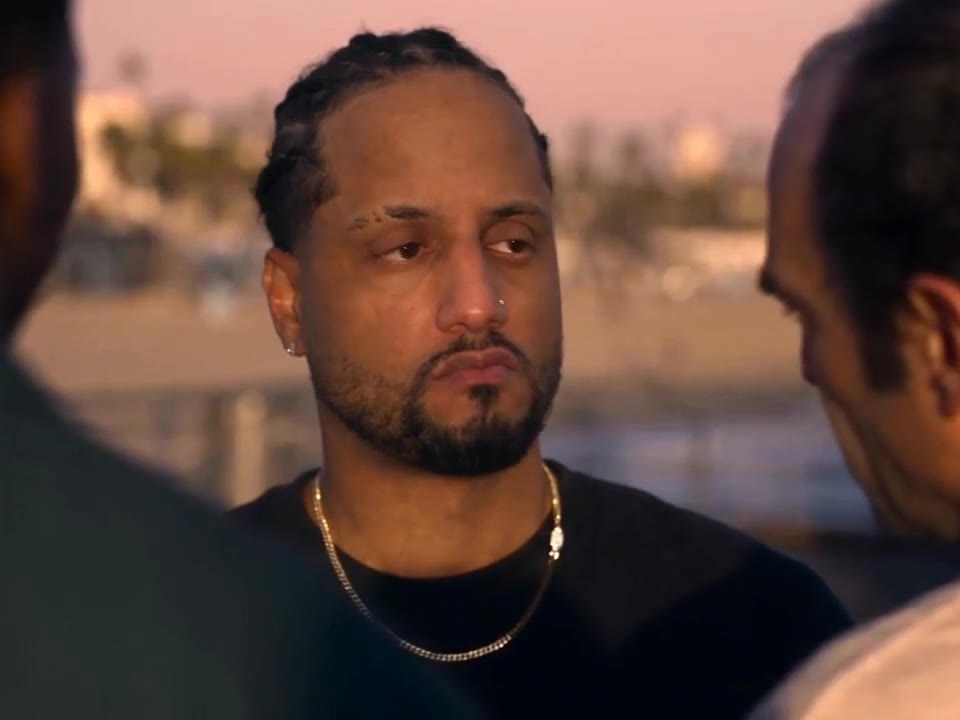
1 Portrait Photo
30s AI Farewell Video (4:3)
Tips for Best Results
How to get the cleanest farewell video
01
Lock 9:16 aspect ratio explicitly
Always include "9:16 vertical video" at the start of your prompt so general models don’t default to 16:9 widescreen crops.
02
Keep one action per 5-second clip
General text-to-video models struggle when you pack walking, hugging, and driving into one 5-second generation. Split into shots 1–4 above.
03
Use a clean reference portrait
Front-facing, evenly lit, single-person photos drastically reduce identity drift in Image-to-Video generators.
04
Leave sky space for captions
Ask for clean upper-sky framing in the final drive-off shot so "Goodbye GTA 5 · 2013–2026" text stays legible on TikTok.
FAQ
Frequently asked questions
Which AI video tools work with these Goodbye GTA 5 prompts?
These prompts are formatted for major Image-to-Video and Text-to-Video tools including Kling, Seedance, Sora, Runway Gen-3/Gen-4, Dreamina, and Luma Dream Machine.
Why do Michael, Franklin, and Trevor look different in my AI generations?
General video models don’t keep fixed 3D character rigs across prompts. Appending the Character Consistency Lock snippet helps, or you can use our dedicated sunset pier template where the trio and camera choreography are already locked.
How do I keep my own face consistent across all 4 shots?
Use the exact same front-facing portrait as the image reference for every shot, keep camera movement moderate, and avoid extreme side profiles. Or skip multi-shot stitching with our single-photo 30-second generator.
Do I need to write any prompts to use this site?
No. On GTA5 Goodbye AI, you simply upload one clear photo—the sunset pier scene, lighting, and farewell sequence are pre-configured automatically.
More Guides
Explore more Goodbye GTA 5 guides
CapCut Template vs AI
GTA 5 Goodbye CapCut Template vs AI One-Click Video
Looking for the GTA 5 Goodbye CapCut template? Compare CapCut edits vs AI one-click generation, learn how to find templates on TikTok, and make the viral sunset pier video from 1 photo.
Guides
GTA 5 Goodbye Trend Explained: Why It Went Viral
Why the #gta5goodbyetrend took over TikTok and YouTube—its origin after 13 years of GTA 5, top songs, viral formats, and the Los Santos to Vice City shift.
Guides
How to Do the GTA 5 Goodbye Trend: AI & CapCut Guide
Learn how to do the GTA 5 goodbye trend in minutes. Follow our one-photo AI workflow or the 5-step CapCut edit guide, plus photo tips and specs.
Guides
GTA 5 Last Ride Route: Best Los Santos Sunset Drive
Plan your GTA 5 Last Ride in Story Mode or GTA Online: the 6-stop Los Santos sunset route, best cars and radio stations, and clean recording tips.
Guides
10 Best Ways to Say Goodbye to GTA 5 Before GTA 6
10 memorable ways to say goodbye to GTA 5—from Ending C, Farewell Journey mod, and your final sunset save to Last Ride drives and farewell captions.
Ready to make your Goodbye GTA 5 video?
Skip the editing timeline and prompt guesswork. Upload one clear photo and get your 9:16 sunset pier farewell clip ready for TikTok and Reels.