Goodbye GTA 5AI Video
One portrait. One last drive. Step onto the sunset pier beside three familiar companions, receive the game case and car keys, then drive into the dusk—no prompts to write.
- No prompt needed
- 6s 480p from 6 credits
- Ready in minutes
- No added watermark
Upload your Goodbye GTA 5 portrait
Your portrait replaces only the departing traveler across the handoff, close-up, and driver-seat cuts. The three companions, sunset pier, game case, and pink sports car stay intact.
Upload your Goodbye GTA 5 portrait
1Your portrait
Best results: one sharp front-facing adult portrait from the waist up so your face, hair, and outfit stay consistent. Avoid pets, group shots, sunglasses, hats, and heavy beauty filters.
2Length
Your farewell video output
Upload one sharp adult portrait on the left and start rendering—your finished farewell video will appear here.
The catch
Why making a Goodbye GTA 5 video manually fails
Faces & outfits drift between cuts
Generic video generators often morph your face or swap your jacket between the pier handshake, game case close-up, and driver seat.
Writing 3,000-character multi-shot prompts
Trying to lock Michael, Franklin, Trevor, golden-hour pier lighting, and car transitions by hand burns credits on broken takes.
Stitching and watermark cleanup
Split prompts still leave you cutting clips together in an external editor and fighting aspect ratios before posting.
Side by side
Manual prompts vs. GTA5 Goodbye AI
| Manual AI prompts & editing | With GTA5 Goodbye AI |
|---|---|
| Draft long shot-by-shot prompts and retry failed scenes | Built-in sunset pier farewell flow—zero prompts to write |
| Likeness and jacket reset across camera angle cuts | One sharp waist-up portrait guides your face, hair, and outfit |
| Join partial clips and strip watermarks manually | Ready-to-post clean MP4 export with no watermark |
| Lose money on broken or stuck generations | Failed renders refund your credits automatically |
How it works
How to make a Goodbye GTA 5 AI video in 3 steps
- 1
1. Add one sharp adult portrait
Upload a front-facing, well-lit photo (JPG, PNG, WebP up to 10 MB). Waist-up framing preserves your outfit across cuts; no pets, strangers, or sunglasses.
- 2
2. Choose cut length and generate
Pick 6s, 12s, or the full 18s farewell sequence. 1 credit equals 1 second, and our pre-tuned scene prompts run automatically.
- 3
3. Download MP4 and add your sound
Save your clean MP4 in a few minutes without watermarks, then pair it with your favorite nostalgic track in TikTok, Reels, or Shorts.
Role swap & scene
One portrait. One last drive.
Your portrait replaces only the departing traveler across the handoff, close-up, and driver-seat cuts. The three companions, sunset pier, game case, and pink sports car stay intact.
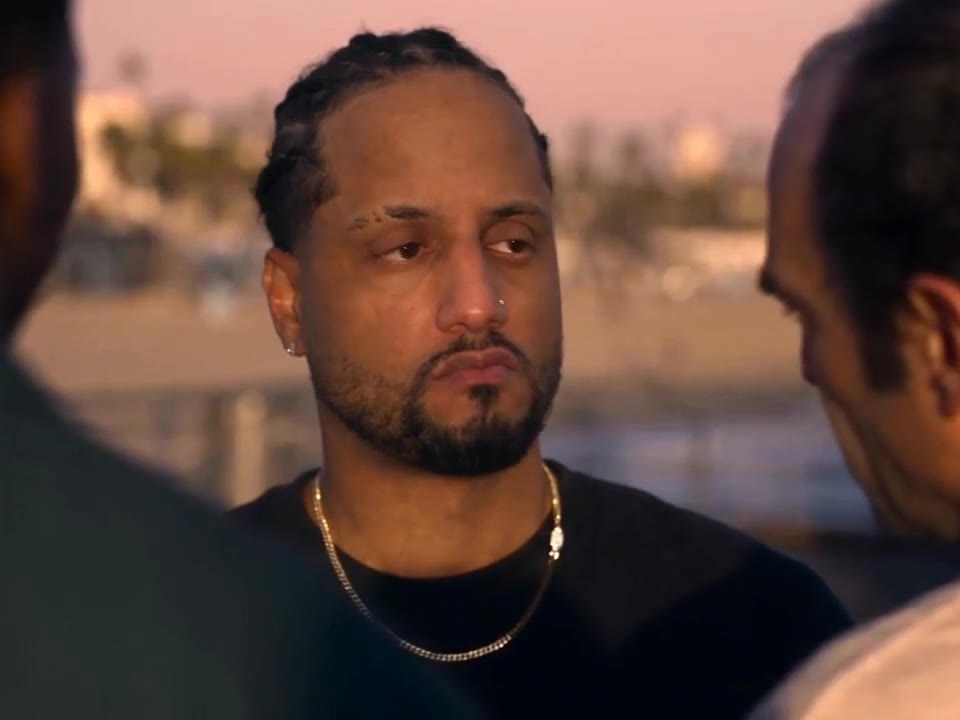
Generated farewell
Trend origin & story
Where did the Goodbye GTA 5 trend start?
Ahead of the next chapter, players across TikTok, Reels, and Shorts began posting cinematic tributes to say Goodbye GTA V—often searched as the GTA 5 Goodbye trend or Goodbye Los Santos. The signature scene ("Take care, kid.") takes place on a golden sunset pier: three familiar leads shake your hand, hand over a game case and car keys, and watch you drive off down the coast in a pink sports car.
GTA5 Goodbye AI is a dedicated Goodbye GTA 5 AI video generator built around that exact pier farewell. Instead of configuring complex shot prompts yourself, upload one portrait and get a personalized GTA 5 farewell AI video—paid only with one-time credits that never expire.
Shot-by-shot & specs
Shot-by-shot & GTA5 Goodbye AI specs
- Role replaced
- Your portrait replaces the departing traveler; the three companions, pier, game case, keys, and pink sports car stay intact
- Photo input
- One clear adult portrait (waist-up recommended), JPG, PNG, WebP up to 10 MB; no pets or group shots
- Template style
- Goodbye GTA 5
- Video length
- 6, 12, 18 seconds
- Output format
- Clean 9:16 MP4, silent (add trending audio on TikTok/Reels), no watermark
- AI disclosure
- Visible AI badge + machine-readable XMP metadata (/verify)
- Pricing & credits
- 1 credit = 1 second; one-time packs from $4.99 (6 credits), never expire
- Failed renders
- Credits refunded automatically
Features
What goes into your Goodbye GTA 5 clip
Zero prompts to write
All sunset pier framing, camera cuts, and companion locks are handled behind the scenes—just add your photo.
Face, hair & outfit alignment
Sharp waist-up portraits keep your facial features and visible clothing aligned across wide pier and driver-seat cuts.
Iconic game case & keys handoff
Follows the complete emotional arc from the pier handshake and parting gift to driving away at golden hour.
Watermark-free MP4 export
Downloads cleanly in 9:16 without watermarks or baked-in audio so you can use native social sounds.
Private by default & AI-labeled
Uploads are private and deleted automatically 7 days after upload. Finished files carry visible and machine-readable XMP AI metadata.
One-time packs, fair refunds
No subscriptions or expiring monthly quotas—credits never expire and failed jobs refund automatically.
Creator playbook
How creators finish and post it
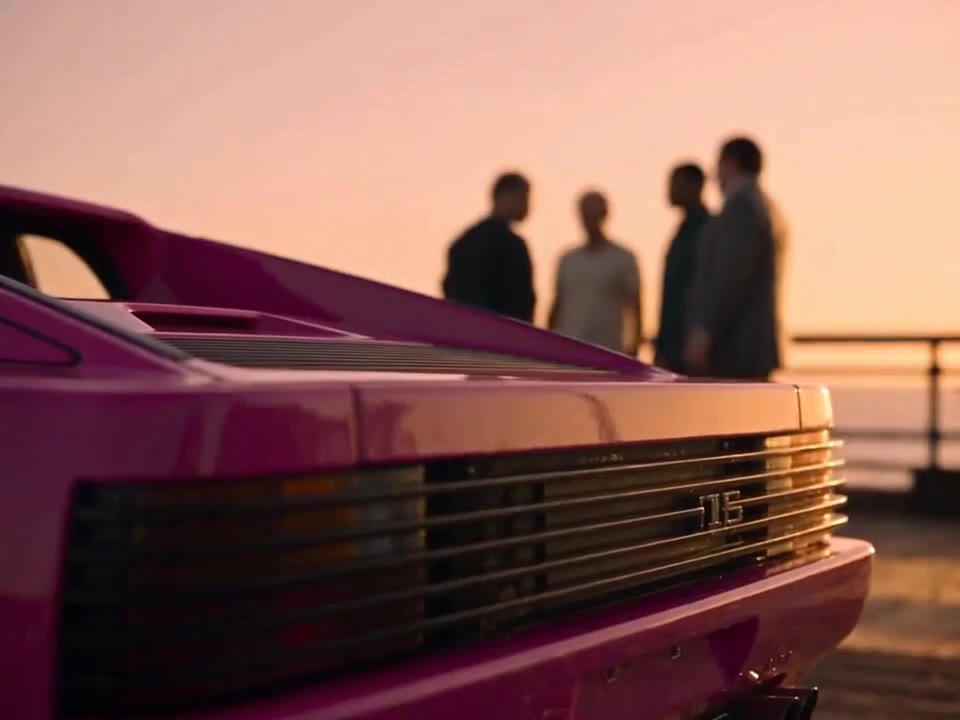
Pair the right sound, caption & hashtags
Add nostalgic audio directly in TikTok or Reels, write a 2013→2026 caption ("Take care, Los Santos."), and tag #goodbyegta5 #gta5goodbye #gta5goodbyetrend #gta6.
Make your farewell video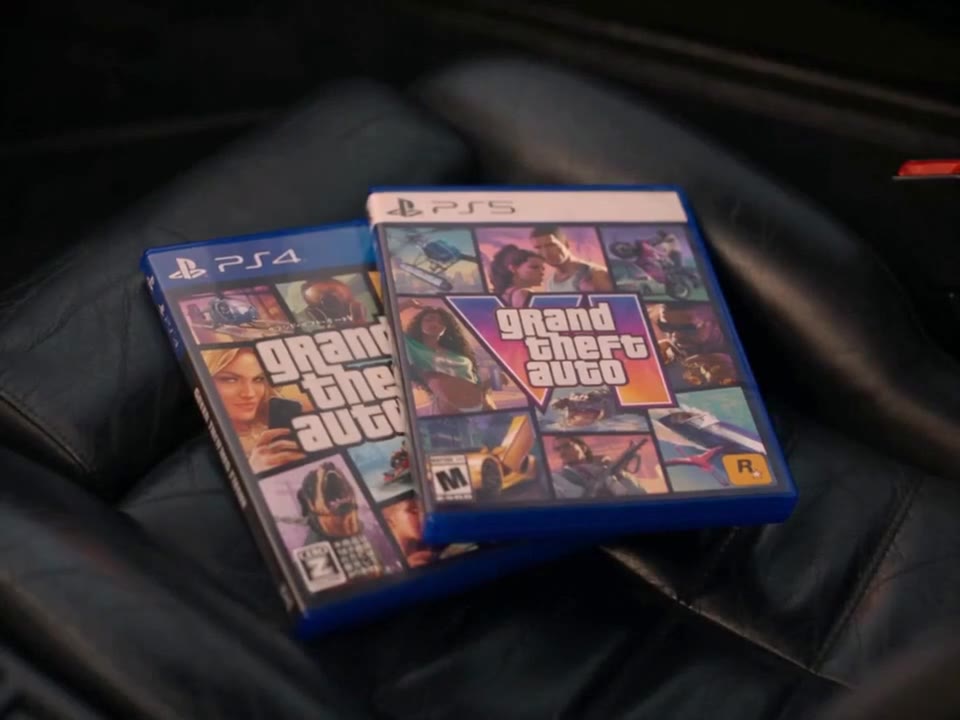
2013 vs. 2026 throwback edit
Open with a real 2013 gaming photo or old console snapshot for 2 seconds, then hard-cut into your AI sunset pier departure.
Make your farewell video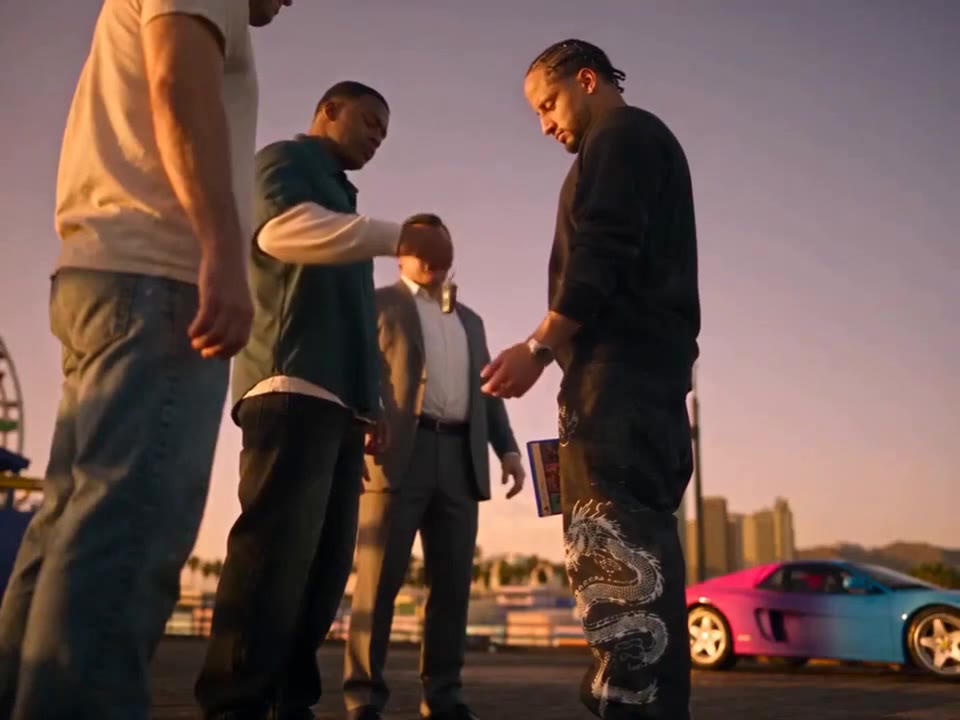
Send to your heist crew
Generate clips for the friends who spent the last decade running Los Santos heists together (with their permission).
Make your farewell videoPricing
How many credits does a Goodbye GTA 5 video cost?
1 credit = 1 second of video. Pay once with no subscriptions and no expiry.
Single Clip
Make one 6s farewell clip
$4.99
6 credits
Makes 1 × 6s video
- Credits never expire
- All video lengths (6s / 12s / 18s)
- HD MP4 download, no watermark
- Automatic refund on failed renders
Full Story
Enough for an 18s full farewell
$9.90
20 credits
Makes 1 × 18s or 3 × 6s videos
- Credits never expire
- All video lengths (6s / 12s / 18s)
- HD MP4 download, no watermark
- Automatic refund on failed renders
Crew Pack
Best value for friends & remixes
$19.90
60 credits
Makes 3 × 18s or 10 × 6s videos
- Credits never expire
- All video lengths (6s / 12s / 18s)
- HD MP4 download, no watermark
- Automatic refund on failed renders
Creator Pack
For gaming channels and edits
$29.90
100 credits
Makes 5 × 18s or 16 × 6s videos
- Credits never expire
- All video lengths (6s / 12s / 18s)
- HD MP4 download, no watermark
- Automatic refund on failed renders
Prices in USD. Taxes are calculated at checkout by our payment partner.
Goodbye GTA 5 AI trend questions
Portraits, scene role swap, sound, credits, and safety—answered.
Contact supportWho does my photo replace in the scene?
Your photo replaces only the departing traveler on the sunset pier—across the handshake, game case handoff, and driver-seat exit. The three companions, waterfront pier, and pink sports car stay intact.
Which photo works best, and does it keep my outfit?
Use a sharp, well-lit adult portrait facing the camera from the waist up so the model can see your face, hair, and outfit clearly. Avoid pets, group shots, sunglasses, hats covering the face, and heavy beauty filters.
What goes wrong with poor photos, and how do I fix it?
Blurry selfies, harsh backlighting, cropped foreheads, or sunglasses can cause weak likeness or outfit drift. Re-upload a clean, evenly lit front-facing waist-up photo and try a shorter cut first if testing.
Which sound, caption, and hashtags should I post with?
Videos export as clean silent MP4 files without watermarks so you can add any trending nostalgic audio inside TikTok, Reels, or Shorts. Try a 2013→2026 caption ("Take care, Los Santos.") with #goodbyegta5 #gta5goodbye #gta5goodbyetrend #gta6.
Is GTA5 Goodbye AI affiliated with Rockstar Games or GTA?
No. GTA5 Goodbye AI is an independent fan-made parody and tribute video tool. It is not affiliated with, endorsed by, or sponsored by Rockstar Games or Take-Two Interactive.
How long does rendering take, and can I close the page?
Most videos finish in 2–8 minutes depending on length and queue. You can close the tab while it renders; finished videos wait in My videos.
How many credits does a video cost, and do failed renders refund?
Each second of video costs 1 credit. Credits are sold in one-time packs only (no subscriptions), never expire, and are refunded automatically if a render fails.
Can I use someone else’s photo, and how long are uploads kept?
Only with their explicit permission, and never photos of minors, celebrities, or public figures. Uploads are private, used only for your render, and deleted automatically 7 days after upload; finished videos are kept for 30 days after they finish.
Make your own Goodbye GTA 5 farewell
One portrait. One last drive. Upload your photo and step onto the Los Santos pier.
Make your farewell video · $4.99+